Drone Inspection Reports: Delivering Professional Results
A professional inspection report separates you from hobbyists. Here is the exact structure and format that roofing contractors and insurance adjusters trust.
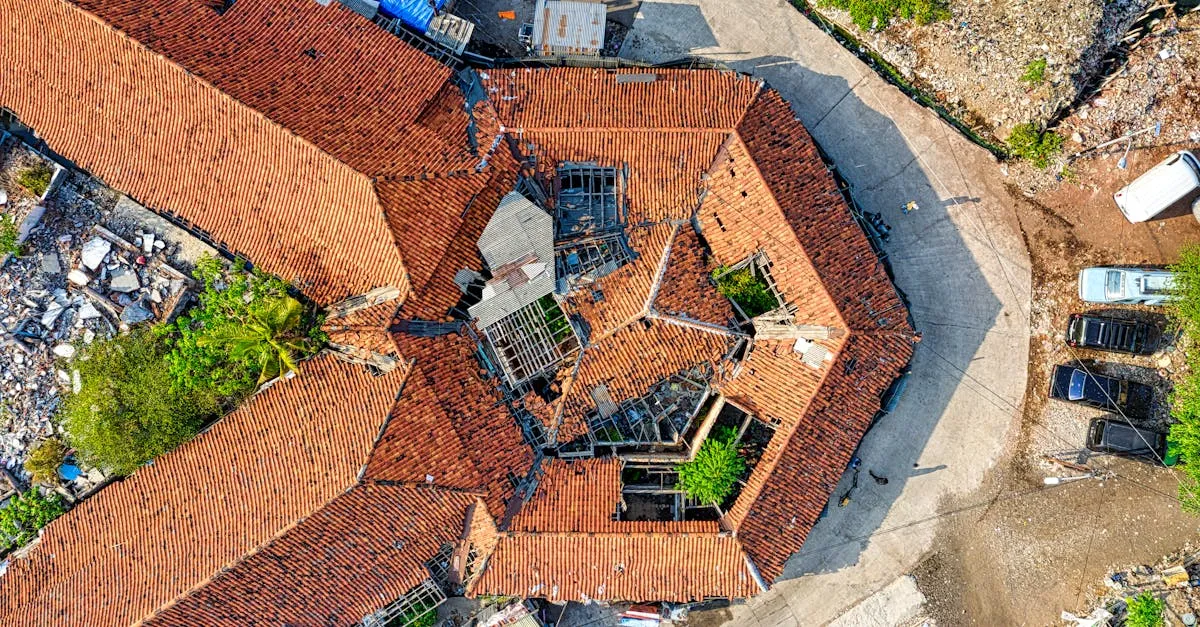
Professional inspection reports follow a structured format: cover page, executive summary, overview shots, section-by-section details, and annotated areas of concern. Always include a legal disclaimer stating observations are visual only and not a structural assessment. Export as PDF and deliver within 24-48 hours.
A folder of raw images is not a deliverable. A professional inspection report packages your aerial data into a document that roofing contractors, insurance adjusters, and property managers can actually use. Here is the structure that wins repeat business.
Report Structure
Every inspection report should follow this sequence:
Cover Page: Property address, inspection date, your name, Part 107 number, and contact information. Include a small aerial overview image as a visual reference.
Executive Summary: One paragraph describing the roof type, approximate size, and general condition. Example: “The property at 123 Main Street features a 2,400 square foot asphalt shingle roof in fair condition. Several areas of concern were documented.”
Overview Section: 3-5 wide shots showing the complete roof from above and from each cardinal direction. These give the viewer context before diving into details.
Section-by-Section Details: Organize by roof area (north slope, south slope, east slope, west slope). Include 3-5 images per section showing overall condition and notable features.
Areas of Concern: Close-up images of damage, wear, or unusual conditions. Each image gets a brief, factual caption. Annotate with red circles or arrows to highlight specific issues.
Summary of Findings: A numbered list of observations. Describe what you see without diagnosing. “Dark discoloration on south slope shingles” not “mold damage requiring replacement.”

Legal Disclaimer
Include this exact language on every report:
“This document presents a visual aerial inspection conducted by an FAA Part 107 certified remote pilot. It does not constitute a structural assessment, engineering evaluation, or professional roofing opinion. The observations contained herein are limited to what was visible from the air at the time of inspection. Consult a licensed roofing contractor or structural engineer for professional evaluation and repair recommendations.”
This disclaimer protects you from liability for missed damage that was invisible from the air.
Annotation Best Practices
Mark up your images with clean, professional annotations:
- Use red circles for areas of concern
- Use clean sans-serif text for labels
- Keep annotations minimal and precise
- Avoid bright colors and flashy graphics
Delivery Format
Export as PDF for easy sharing and archiving. Include a link to a shared folder with full-resolution images for clients who want to zoom into details.
Deliver within 24-48 hours. Fast turnaround is your competitive advantage. Insurance adjusters processing storm claims need these reports yesterday.
Creating Templates
Build your report template once and reuse it. Swap in property-specific information, drop in new images, and adjust the text. This cuts report creation from hours to 30-45 minutes per job.
Frequently Asked Questions
What should be on the cover page? Property address, inspection date, your name, Part 107 number, and contact information. Add a small aerial overview image for quick identification.
How to annotate damage? Use red circles to highlight areas of concern and clean sans-serif text for labels. Keep annotations minimal and precise.
Why is a legal disclaimer important? It protects you from liability for damage invisible from the air, clarifying your report is a visual inspection, not a structural assessment.
How quickly should I deliver? Within 24-48 hours. Fast turnaround is a competitive advantage, especially with insurance adjusters processing storm claims.
What format for the final report? Export as PDF for easy sharing and archiving. Include a link to full-resolution images for clients who need to zoom into details.
How to speed up report creation? Build a template once and reuse it. Swap in property-specific information and new images. Reduces creation time to 30-45 minutes per job.
For the complete inspection workflow including flight techniques, camera settings, and pricing, see our free Drone Roof Inspection and Property Services course.