Equipment Inspection and Setup
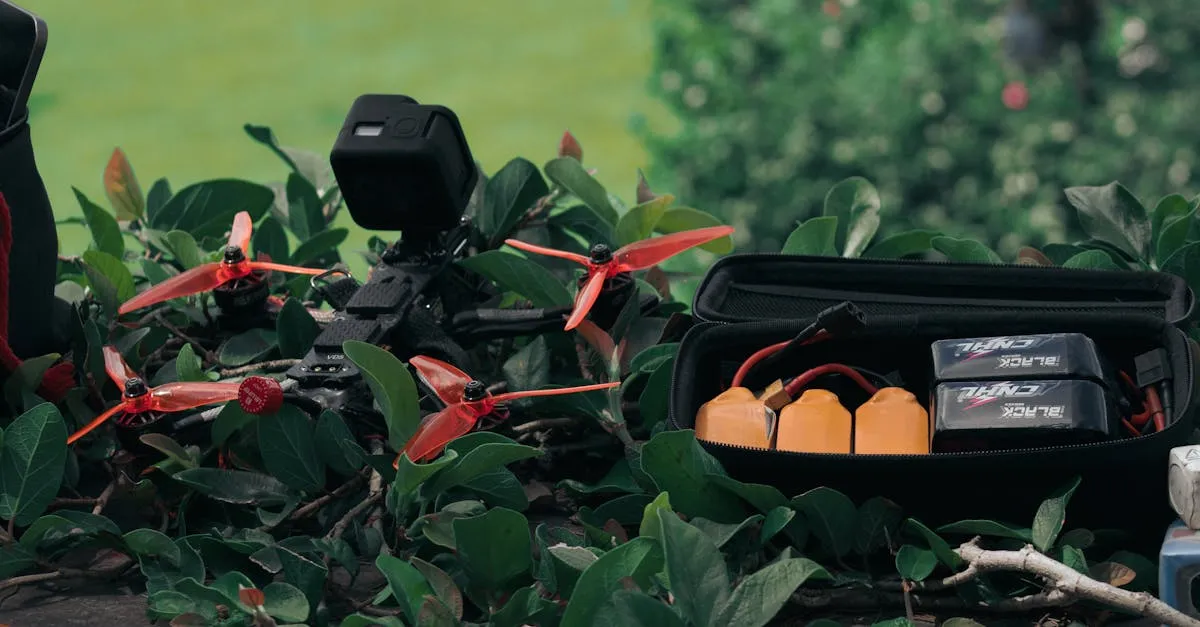
Most equipment failures that happen in the air could have been caught on the ground. A three-minute inspection before every flight catches the loose prop, the swollen battery, and the cracked arm that would otherwise ruin your day at altitude.
Battery Check
Lithium polymer batteries are the most failure-prone component on your drone. Before every flight:
- Check charge level: Full charge for the mission, plus a buffer. Never fly with less than 30% remaining.
- Inspect for swelling or puffing: Swollen batteries are failing batteries. Dispose of them properly and do not fly with them.
- Check connector pins: Bent or corroded pins cause intermittent power failures.
- Verify temperature: Batteries should be at room temperature. Cold batteries deliver less power and die faster. Hot batteries may be damaged.
Never charge a swollen or damaged battery. LiPo fires are extremely dangerous and difficult to extinguish. If a battery looks wrong, do not use it.
Propeller Check
Props are your only connection between motor power and flight. A cracked or chipped prop can shatter at speed, causing immediate loss of control.
- Inspect each prop for chips, cracks, and warping
- Verify props are installed on the correct motors (CW vs CCW)
- Check that props spin freely without wobble
- Tighten quick-release props until they click
Replace props at the first sign of wear. A set of props costs $10-20. A crashed drone costs hundreds or thousands.
Airframe Inspection
Run your hands along the arms and check for cracks, loose screws, or bent components. Foldable drones should lock firmly into the open position. Landing gear should be secure.
Check the gimbal and camera mount. The gimbal should move freely without stiffness or grinding. The camera lens should be clean and free of smudges.
Firmware and Software
Check for firmware updates before your first flight of the day. Outdated firmware can cause unexpected behavior, GPS errors, or compatibility issues with your controller. DJI and other manufacturers release updates to fix known issues, including safety-related ones.
Do not update firmware at the field. Apply updates at home where you have stable internet and time to troubleshoot if something goes wrong.
Controller and Display
Verify your controller has a full charge. Your phone or tablet display is set to maximum brightness. Disable notifications, phone calls, and auto-lock. Nothing is more frustrating than losing your video feed because your phone decided to update apps mid-flight.