Radio Signals and Data Links
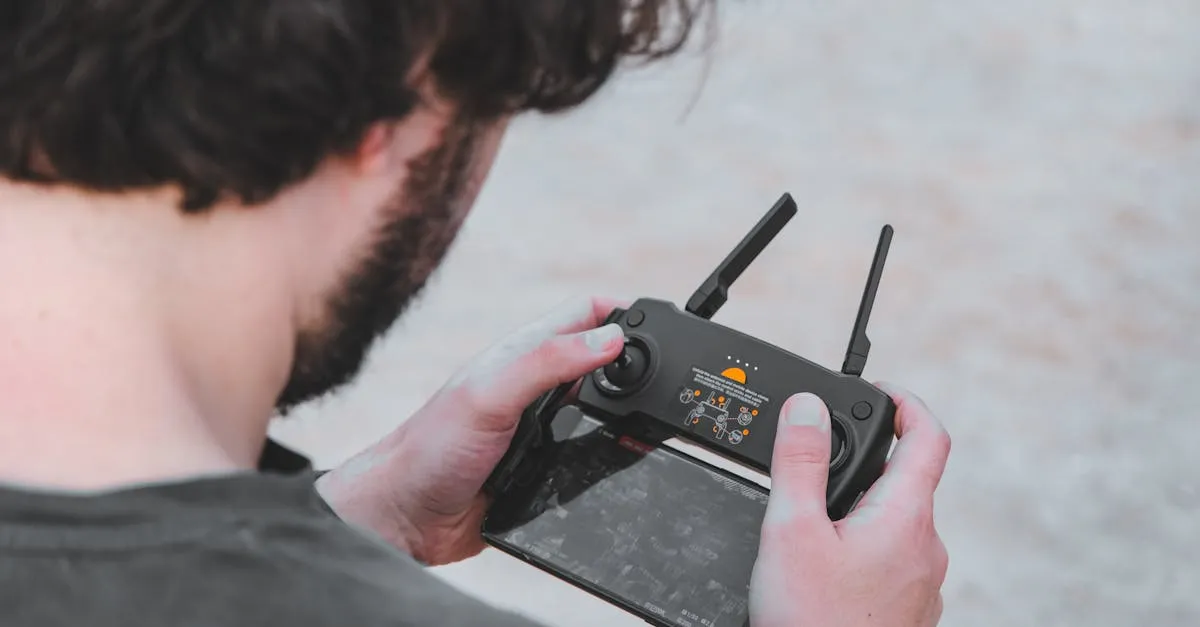 Every drone flight depends on a radio link between the controller and the aircraft. That link is not magic. It is radio waves traveling through the air, and the air is full of things that interfere with them. Understanding how your signal works, what degrades it, and how to plan around limitations separates reliable pilots from those who lose drones.
The Frequencies Your Drone Uses
Consumer and professional drones typically use two frequency bands:
2.4 GHz: The default for many drones. This band offers good range and penetrates obstacles reasonably well. It is also the most crowded frequency in existence. WiFi routers, Bluetooth devices, microwaves, and other drones all broadcast here. In urban areas, 2.4 GHz interference is a real problem.
5.8 GHz: Less crowded, which means less interference. The tradeoff is shorter range and worse obstacle penetration. Trees, buildings, and hills block 5.8 GHz signals more aggressively than 2.4 GHz.
Most modern DJI drones switch between these bands automatically, selecting whichever has less interference at the moment. Older or budget drones may be locked to one band.
What Degrades Your Signal
Physical obstacles: Trees, buildings, hills, and terrain block radio signals. The thicker and denser the obstacle, the more signal loss. A single tree can measurably weaken the link — exactly how much depends on your drone, its frequency, and the foliage — and a building can block it entirely.
Distance: Signal strength decreases with the square of the distance. Fly twice as far and you get one-fourth the signal. This is why your video feed looks great at 500 meters but starts breaking up at 1,500 meters.
Antenna orientation: The antennas on your controller and drone have radiation patterns. They transmit strongest in certain directions. If the antenna on the drone is pointing away from you (which happens when the drone flies directly away at altitude), the signal weakens.
Electromagnetic interference: Power lines, cell towers, radio transmitters, and industrial equipment generate electromagnetic fields that jam drone signals. Flying near a cell tower or substation often causes controller disconnects.
WiFi congestion: In areas dense with WiFi networks (apartment complexes, office buildings, sports venues), the 2.4 GHz band becomes so noisy that your drone struggles to maintain a clean connection.
Planning Around Signal Limitations
Your flight plan should account for signal behavior:
- Maintain line of sight. Radio waves travel in roughly straight lines at these frequencies. If you cannot see the drone, there is probably something between you and it that is degrading the signal.
- Fly higher near obstacles. A tree between you and the drone at 50 feet altitude might block the signal. The same tree is irrelevant if the drone is at 200 feet.
- Avoid known interference sources. Power substations, cell towers, and industrial sites are signal dead zones. Plan your flight path to avoid them.
- Stay closer in urban areas. WiFi congestion in cities means your effective range is shorter. What works at 2,000 meters in a rural field might fail at 500 meters downtown.
- Point your controller antennas correctly. Most controllers have flat panel antennas. The flat face should face the drone. Tilt the controller screen angle so the antennas point toward the aircraft, not straight up.
What Happens When Signal Is Lost
Modern drones handle signal loss through a failsafe system:
- The drone pauses and hovers in place
- It attempts to reconnect for a set period (typically a few seconds — the exact window depends on your drone model and settings)
- If reconnection fails, it executes Return-to-Home (RTH) using GPS
The RTH altitude you set before flight is critical here. If the drone returns at 50 feet and there is a 60-foot building between it and the home point, it will crash into the building. Set RTH altitude above the tallest obstacle in the area.
Older or toy-grade drones without GPS may simply land where they are when signal is lost. Know which behavior your drone uses before you fly anywhere near obstacles.
Checking Signal Before Flight
Most controller apps show real-time signal strength. Check it before you launch. If the signal is already weak on the ground, it will only get worse in the air.
Walk 20-30 feet from your takeoff point and check signal again. If it drops significantly from that short distance, you are dealing with local interference and should move your takeoff point.
Signal quality is not something most pilots think about until they lose connection. Plan for it ahead of time and you will not have to learn this lesson the hard way.