Why Color Matters in Drone Footage
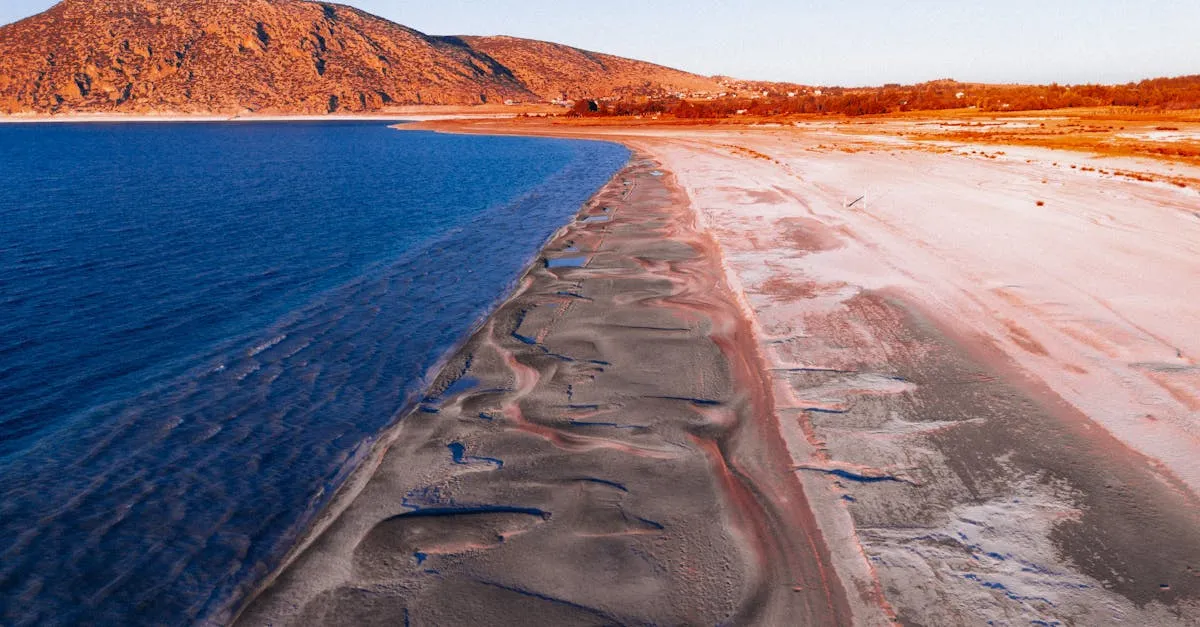
You just got back from an incredible drone flight. The sunset was perfect, the wind was calm, and you captured exactly what you wanted. You pull the SD card, drop the clip on your timeline, and it looks flat. The sky looks gray, the shadows look muddy, and the whole thing feels completely lifeless. What happened?
This is the single most common frustration for new drone pilots. You bought a $1,000+ drone with a great camera, but the final video looks like it was shot on an old smartphone. The missing ingredient is color grading, and it completely changes the game.
The Raw Footage Problem
When your drone records video, it intentionally captures a flat, low-contrast image. It does this to preserve as much data as possible in the highlights and shadows. If the drone baked in heavy contrast and saturation straight out of the camera, you would lose details in bright skies and dark shadows. You could never get those details back.
Raw footage gives you a blank canvas. The difference between that flat file and a properly graded clip is massive. In a graded shot, the colors actually pop off the screen, the shadows have real depth, and the scene feels three-dimensional. You are taking the raw data and translating it into what your eyes actually saw when you were standing there holding the controller.
You do not need expensive software to do this. DaVinci Resolve is the industry standard for color grading, used on massive Hollywood productions, and the standard version is completely free. It saves you about $276 a year compared to subscription editors like Premiere Pro and gives you vastly superior color tools. Download it before we move to the next lesson.
How Hollywood Uses Color to Trick Your Brain
Color is not just about making things look pretty. It is a psychological tool. Hollywood colorists have spent decades figuring out how to manipulate your emotions using specific color palettes.
Think about the last tense thriller you watched. Chances are, the entire movie had a cold, blue tint to it. Cool blues tell your brain to feel uneasy, isolated, or tense. Now picture a warm, nostalgic coming-of-age film. Those scenes are usually flooded with warm oranges, yellows, and soft reds. Warm colors signal comfort, safety, and happiness. If a director wants to convey a bleak, dramatic reality, they will strip almost all the color out of the image, leaving a desaturated, gray look.
You can apply these exact same principles to your drone footage. If you are flying over a tropical coastline at sunrise, pushing the whites a bit warm and keeping the water a rich teal will make the viewer feel the heat of the sun. If you are filming an abandoned factory in the middle of winter, pulling the temperature toward a cold blue will instantly make the footage feel eerie and unwelcoming.
Invisible Color Grading: The Goal of a Pro
Here is the biggest secret in professional color grading: when you do it right, nobody notices it.
Amateurs make the mistake of making the color the star of the show. Professionals use color to support the story. When you grade drone footage properly, the viewer does not sit there thinking about the vibrant orange in the trees. Instead, they just think about how beautiful the forest looks. They feel the mood without consciously registering the color choices.
If someone watches your video and the first thing they comment on is the color grading, you probably overdid it. The grading should feel completely natural, like the camera simply captured a perfect day. Achieving that invisible grade takes practice, but it starts with understanding that subtlety always wins.
The Right Drone Settings Before You Fly
You cannot fix bad footage in post-production. Color grading is about enhancing what is already there, not performing miracles. To get the most out of your LUTs (Look Up Tables) and color wheels, you have to feed them the right data from the start.
The most important setting on your drone is your color profile. If you are shooting with a DJI drone, you need to switch from the standard “Normal” profile to “D-Log” (or D-Log M on newer models). D-Log is a flat, logarithmic curve that captures around 12 to 13 stops of dynamic range. It looks terrible straight out of the camera, but it holds an incredible amount of information in the shadows and highlights.
You also need to set your resolution and frame rate correctly for the cinematic look. Shoot in 4K at 24fps whenever possible. The 24fps frame rate gives you that traditional motion blur associated with cinema. If your SD card is struggling with 4K, drop down to 2.7K at 24fps. Do not shoot at 60fps unless you specifically plan to slow the footage down, as 60fps removes that cinematic motion blur and makes the video feel like a reality TV show.
Never leave your white balance on Auto when shooting in D-Log. Auto white balance can shift colors from frame to frame, making it a nightmare to grade later. Set your white balance to a fixed Kelvin number that matches your environment, like 5600K for daylight, around 6500K for cloudy conditions, or 7000K or higher for open shade.
Spotting Amateur Color Mistakes
The fastest way to identify an amateur edit is by looking at the saturation. New editors discover the saturation slider and drag it up to 150%. The grass becomes neon green, the sky becomes an unnatural glowing blue, and people’s skin turns orange. This is the classic oversaturated look, and it immediately ruins the credibility of your footage.
Professional color grading is incredibly subtle. A pro might only increase saturation by 5 to 10 percent globally, choosing instead to target specific colors using qualifiers. They might isolate the orange channel and boost it slightly to make a sunset pop, while actually pulling back the saturation in the greens to keep them from looking fake.
Another common mistake is crushing the blacks. It is tempting to add heavy contrast to make an image punchy, but if you drag your shadows down too far, you lose all the details in the darker areas of your frame. The shadows turn into a solid, muddy black void. Always keep an eye on your scopes to ensure you are retaining detail in the darkest parts of your drone footage.
Color grading is a skill that takes time to build. You will probably oversaturate your first 50 videos, and that is completely fine. The goal right now is to simply understand why color matters and to start looking at footage with a more critical eye. Pause the movies you watch. Look at the color palettes they use. Notice how the color changes when a scene shifts from inside a house to outside in the snow. Once you start seeing color the way a colorist sees it, your drone footage will never look the same again.